Looking for the best group travel planning apps? Planning a group trip shouldn’t require a project management degree.
Between coordinating schedules, figuring out who sleeps where, booking activities, and keeping everyone informed, most trips die in the group chat before they ever happen. You’ve seen it: 47 unread messages, three people who “need to check their calendar,” and zero actual decisions.
The right app changes that.
We tested the best group travel planning apps to find the top options for friend groups, families, bachelorette parties, and reunion trips. Here’s what actually works in 2026.

What to Look for in a Group Travel Planning App
The best group travel planning apps share these key features. Before downloading five different apps, know what actually matters:
Collaborative itinerary building — Everyone should be able to add ideas, not just the “trip planner” friend who gets stuck doing all the work.
Accommodation coordination — Where is everyone sleeping? What’s the WiFi password? What time is check-in? This info needs to live somewhere other than a buried text message.
Activity booking — The best apps let you browse and book tours, excursions, and activities without juggling 10 browser tabs.
Works for your group size — Some apps cap participants or charge per person. Check before you invite 20 people.
Actually easy to use — If your least tech-savvy friend can’t figure it out, you’ll end up answering questions the whole trip.
Best Group Travel Planning Apps Compared
1. AvoSquado — Best for Friends & Family Trips
Best for: Bachelorette trips, family reunions, beach house weekends, ski trips
Price: Free
Standout feature: Built-in bedroom assignments and 400,000+ bookable activities
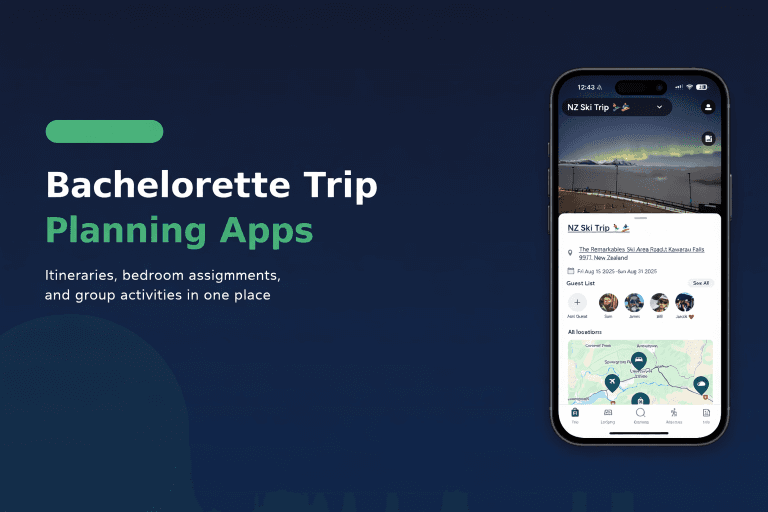
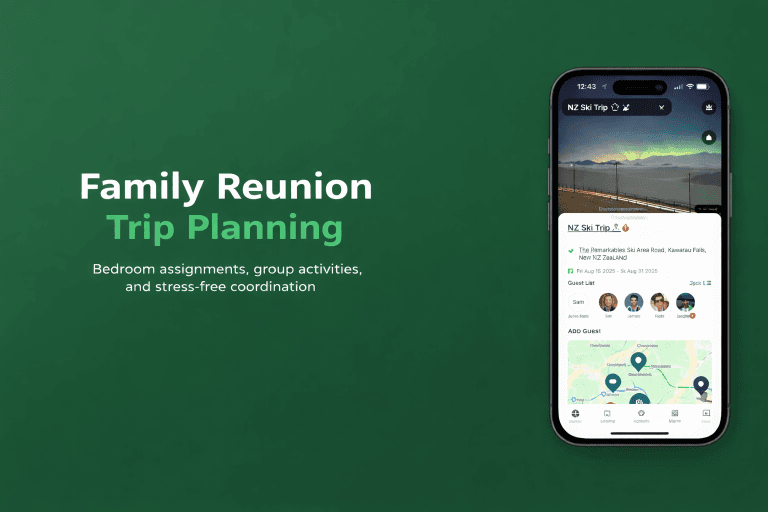
AvoSquado is built specifically for the chaos of planning trips with friends and family. The standout feature that no other app has: bedroom assignments. If you’ve ever rented a beach house with 12 people and watched the passive-aggressive “so… who’s taking the master?” conversation unfold, you get why this matters.
Beyond solving the sleeping situation, AvoSquado integrates with Viator to offer 400,000+ bookable tours and activities directly in the app. Wine tours in Napa, snorkeling in Hawaii, cooking classes in Rome—find it, book it, and it’s automatically added to your shared itinerary.
The app also handles accommodation details (check-in times, door codes, house rules, WiFi passwords) so you’re not answering “what’s the address again?” seventeen times.
Pros:
- Bedroom assignments (literally no other app does this)
- 400,000+ bookable activities via Viator integration
- Accommodation details in one place
- Collaborative itinerary everyone can edit
- Free to use
- Clean, intuitive interface
Cons:
- Newer app, still building features
- No flight booking integration yet
Best for: Groups renting houses, cabins, or villas where room assignments matter. Bachelorette trips, family reunions, friend group getaways.
2. Wanderlog — Best Free Option for Road Trips
Best for: Road trips, budget travelers, solo travelers planning with friends
Price: Free (Pro: $4.49/month)
Standout feature: Offline maps and route optimization
Wanderlog shines when your trip involves driving. The map-first interface helps you visualize your route, optimize stop order, and estimate drive times between destinations. If you’re planning a Pacific Coast Highway road trip or hopping between European cities, the visual planning is genuinely helpful.
Collaboration features let multiple people add restaurants, attractions, and hotels to a shared list. The free tier is generous—you can do most things without paying.
Pros:
- Excellent map and route visualization
- Offline access for areas without cell service
- Budget tracking built in
- Free tier covers most needs
- Import reservations from email
Cons:
- No activity booking integration
- Better for route-based trips than single-destination trips
- No accommodation coordination features
- Less intuitive for non-road-trip planning
Best for: Road trips where route planning matters. Groups who want to visualize the journey on a map.
3. TripIt — Best for Business Travelers
Best for: Frequent flyers, business trips, individual travelers
Price: Free (Pro: $49/year)
Standout feature: Auto-import from email confirmations
TripIt has been around forever, and for good reason. Forward your flight, hotel, and rental car confirmation emails to TripIt, and it automatically builds your itinerary. No manual entry required.
The Pro version adds real-time flight alerts, seat tracking, and gate change notifications—useful for frequent travelers. But here’s the thing: TripIt is designed for individual travelers, not groups. You can share an itinerary, but there’s no real collaboration. No shared planning, no accommodation coordination, no activity booking.
Pros:
- Email forwarding automatically creates itinerary
- Flight alerts and gate change notifications
- Trusted by frequent travelers for years
- Clean timeline view of your trip
Cons:
- Designed for solo/business travel, not friend groups
- No collaborative planning features
- No activity booking
- No accommodation coordination
- Pro version is expensive ($49/year)
Best for: Business travelers and frequent flyers who want automatic itinerary organization. Not ideal for group trips.
4. SquadTrip — Best for Professional Trip Organizers
Best for: Travel agents, retreat organizers, tour operators
Price: Free (takes payment processing fees)
Standout feature: Payment collection and guest management
SquadTrip is built for people who organize trips professionally. If you’re a travel agent, yoga retreat leader, or group tour operator who needs to collect payments, manage waivers, and handle guest registrations, this is your tool.
The platform lets you create trip pages, set up payment plans, and send automated reminders. It’s powerful for commercial use—but overkill for planning a beach trip with your college friends.
Pros:
- Professional payment collection with payment plans
- Guest dashboards and management
- Built for monetizing trips
- Waiver and document collection
Cons:
- Too complex for casual friend groups
- Designed for commercial trip organizers
- Learning curve for personal use
- No activity booking integration
Best for: Travel professionals, retreat hosts, and anyone charging money for group trips. Not designed for casual personal travel.
5. Splitwise — Best for Expense Splitting Only
Best for: Splitting costs after the trip
Price: Free (Pro: $2.99/month)
Standout feature: Expense tracking and balance settlement
Splitwise does one thing well: tracking who owes whom. Add expenses, split them evenly or custom, and settle up at the end. It’s the default for shared expenses, and for good reason.
But here’s the key thing: Splitwise is not a trip planning app. There’s no itinerary building, no accommodation details, no activity booking. It’s purely for money tracking. Most groups need Splitwise plus another app for actual planning—which is why all-in-one options have emerged.
Pros:
- Best-in-class expense splitting
- Multiple currency support
- Integrates with payment apps for settlement
- Everyone already knows how to use it
Cons:
- Only handles expenses—no trip planning features
- No itinerary building
- No accommodation coordination
- No activity booking
- You’ll need another app for everything else
Best for: Groups who only need expense tracking and already have their planning handled elsewhere.
6. Google Docs/Sheets — The DIY Option
Best for: Control freaks, people who love spreadsheets
Price: Free
Standout feature: Total customization
Let’s be honest—plenty of groups still use a shared Google Doc or spreadsheet. You can customize it however you want, everyone can edit, and it’s free.
The downside: you’re building everything from scratch. There’s no structure, no activity booking, no room assignment features. Someone has to maintain it. And you’ll still need a separate group chat for discussions, Splitwise for expenses, and probably 15 browser tabs for booking activities.
Pros:
- Completely free
- Fully customizable
- Everyone knows how to use Google products
Cons:
- No built-in structure for trips
- No activity booking
- Manual work to maintain
- Requires multiple other tools alongside it
- Gets messy with larger groups
Best for: Small groups with a very organized trip planner who enjoys building spreadsheets.
Quick Comparison Table
Here’s how the best group travel planning apps compare side by side:
| App | Best For | Bedroom Assignments | Activity Booking | Accommodation Info | Price |
|---|---|---|---|---|---|
| AvoSquado | Friends & family groups | ✅ | ✅ (400K+) | ✅ | Free |
| Wanderlog | Road trips | ❌ | ❌ | ❌ | Free |
| TripIt | Business travelers | ❌ | ❌ | ❌ | Free/$49yr |
| SquadTrip | Professional organizers | ❌ | ❌ | ❌ | Free + fees |
| Splitwise | Expense tracking only | ❌ | ❌ | ❌ | Free |
Which App Should You Choose?
Choose AvoSquado if:
- You’re planning a trip with friends or family
- You’re renting a house/cabin/villa and need to assign bedrooms
- You want to book activities without leaving the app
- You need everyone to have access to accommodation details
- You’re tired of group chat chaos
Choose Wanderlog if:
- You’re planning a road trip
- Route optimization matters more than accommodation coordination
- You want offline maps for remote areas
- You’re a budget traveler who wants expense tracking
Choose TripIt if:
- You travel frequently for work
- You want automatic itinerary creation from email confirmations
- You’re primarily a solo traveler
- You don’t need group collaboration features
Choose SquadTrip if:
- You’re a travel agent or professional trip organizer
- You need to collect payments from guests
- You run retreats, tours, or commercial group trips
- You need waiver and document management
Choose Splitwise if:
- You only need expense tracking
- Your planning is already handled elsewhere
- You want to track shared costs for things beyond travel
Frequently Asked Questions
AvoSquado and Wanderlog both offer strong free versions. AvoSquado is better for groups renting accommodations together thanks to bedroom assignments and accommodation details. Wanderlog is better for road trips where route planning matters most.
AvoSquado is the only group planning app with integrated activity booking, offering 400,000+ tours and experiences through Viator. Other apps require you to book separately and add details manually.
AvoSquado is ideal for bachelorette trips—assign bedrooms in the rental house, book group activities like wine tours, spa days, and cooking classes, and keep the whole itinerary in one place everyone can access.
No. Splitwise only handles expense splitting. For actual trip planning including itinerary, accommodations, and activities, you’ll need a separate app. AvoSquado includes planning tools alongside expense features.
For trips with 2-3 people, you can probably get by with a group chat. For groups of 6 or more, especially when renting shared accommodations, a dedicated app saves significant time and prevents confusion.
The Bottom Line
When comparing the best group travel planning apps, AvoSquado offers the strongest combination of features for friend groups and families: bedroom assignments that no other app has, 400,000+ bookable activities, accommodation details everyone can access, and collaborative itineraries—all in one free app.
If you’re planning a road trip specifically, Wanderlog’s map-based approach is excellent. Business travelers should stick with TripIt for its email-import automation.
The worst option? Trying to coordinate everything through group chat. Your trip deserves better than 200 unread messages and a friend who still doesn’t know what time to show up.
Ready to plan your next group trip?
Download AvoSquado free and get your friends from “we should do a trip” to “we’re booked” without the chaos.